Import pools in Moodle XML format
Written By Florian Barral
Last updated About 7 hours ago
⚡ Save time by directly importing all the pools you have already prepared in Moodle.
1. Export your pools from Moodle
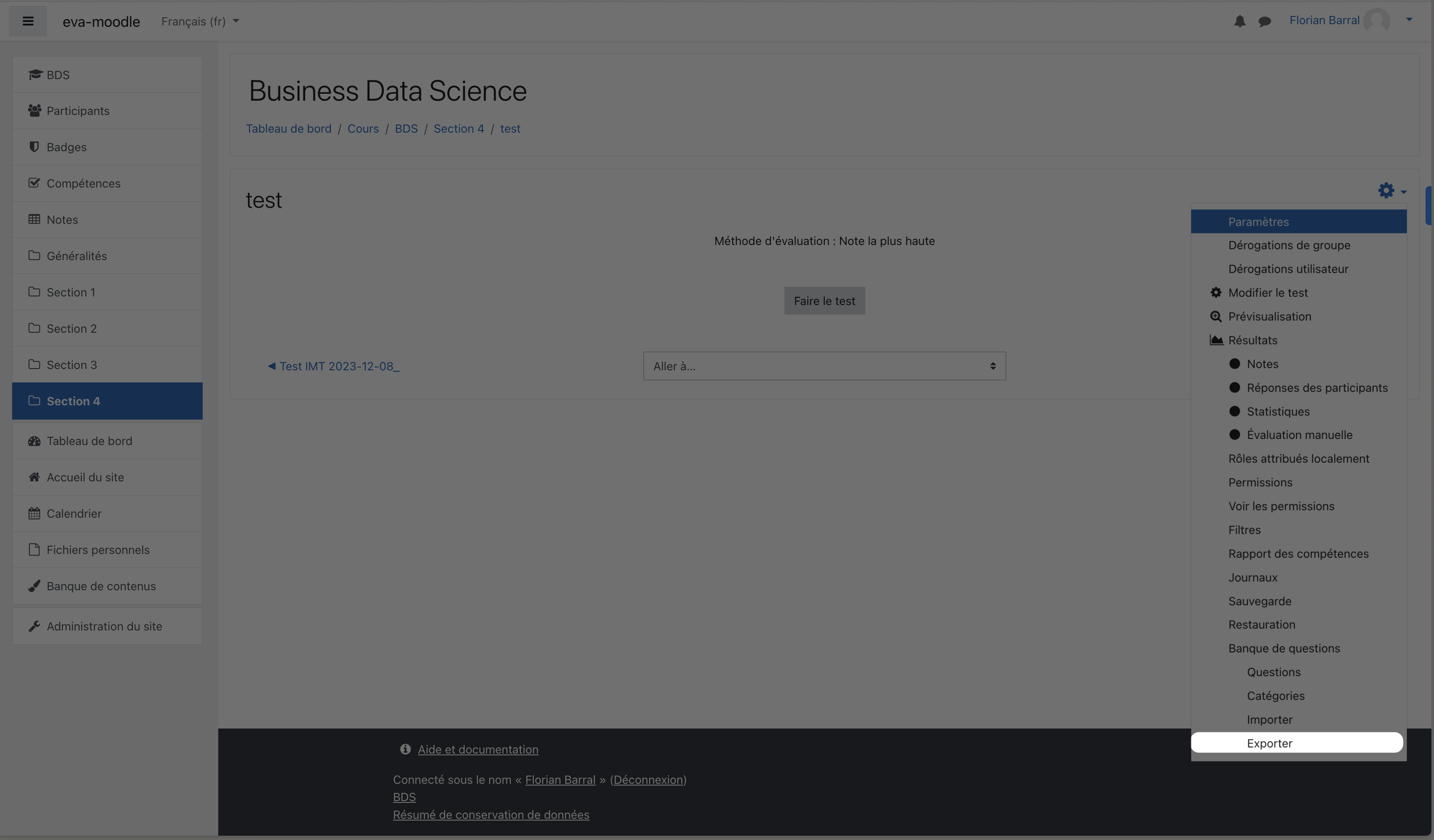
In Moodle:
Open your quiz
Click the ⚙️ options at the top right, then
ExportExport the
.xmlfileChoose the
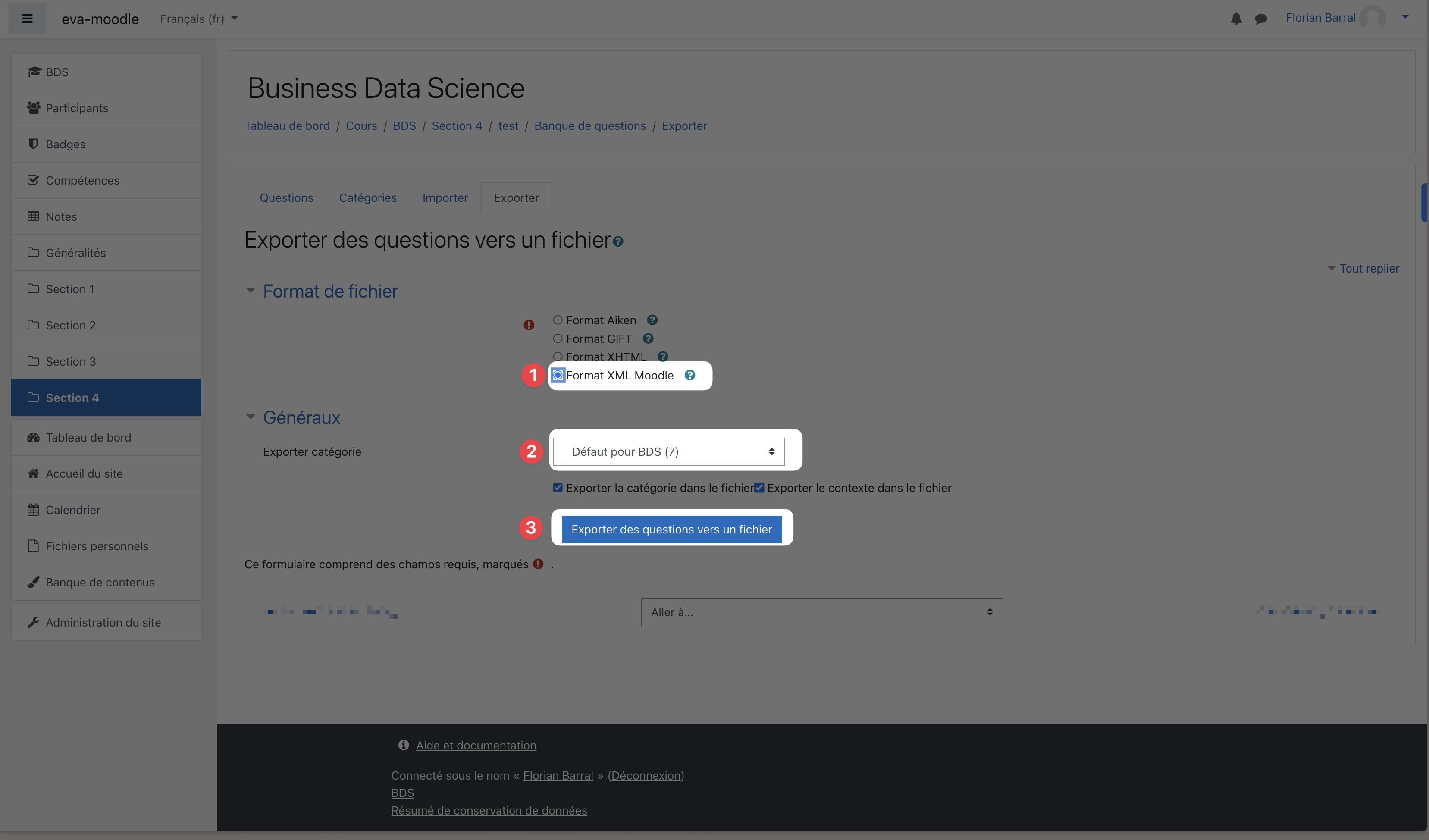
Moodle XML formatCheck the question category you are exporting
Click
Export questions to file
2. Import them into Evalmee
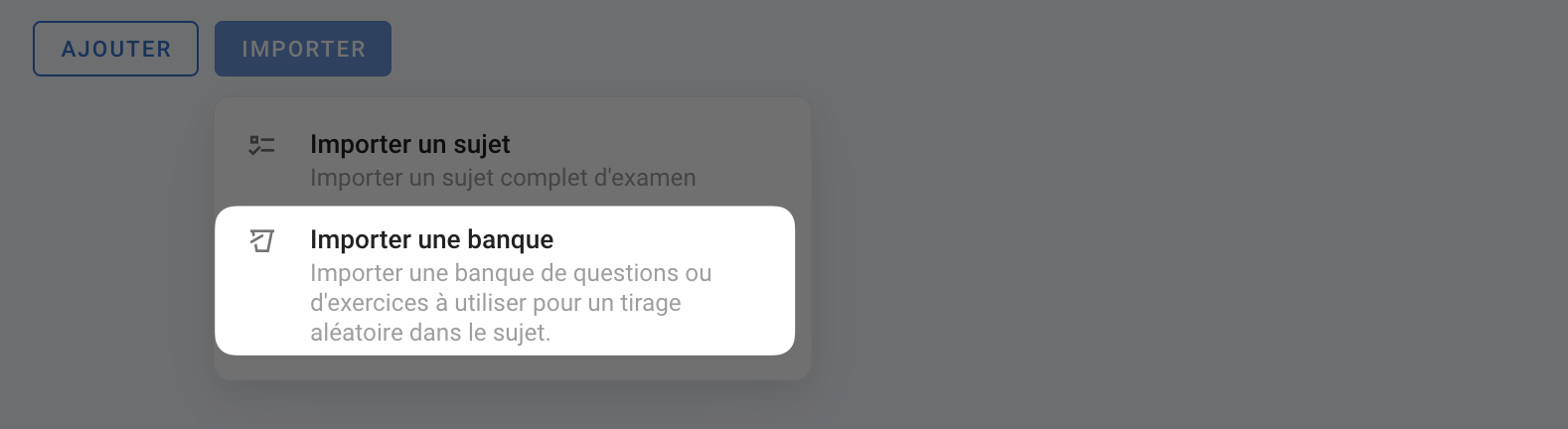
In your exam editor, click Import, then Pool. Choose Moodle XML and drag and drop the .xml file you just downloaded.
💡 One pool will be created for each lowest-level child category in the category hierarchy, and the pool name will be the concatenation of the parent categories
Supported question types
multichoice(multiple choice): imported as a QCU or QCM, with the correct answers. Per-answer grade percentages are not carried over.truefalse(true/false): imported as a True/False question, with the correct answer.essay(essay): imported as an Open question.description: imported as a Complementary statement.shortanswer(short answer): imported as a QCM whose choices are the accepted answers. Rework these questions after the import, for example by turning them into Open questions.
❗ matching questions are skipped. numerical and cloze questions are not supported: if the import fails, remove them from the file or export again without them.
Was this helpful?
Still need help? Ask the team