Import pools at Moodle XML format
Written By Florian Barral
Last updated 10 months ago
⚡ Save time by directly importing an entire topic that you have already prepared on Moodle.
1. Export questions from Moodle
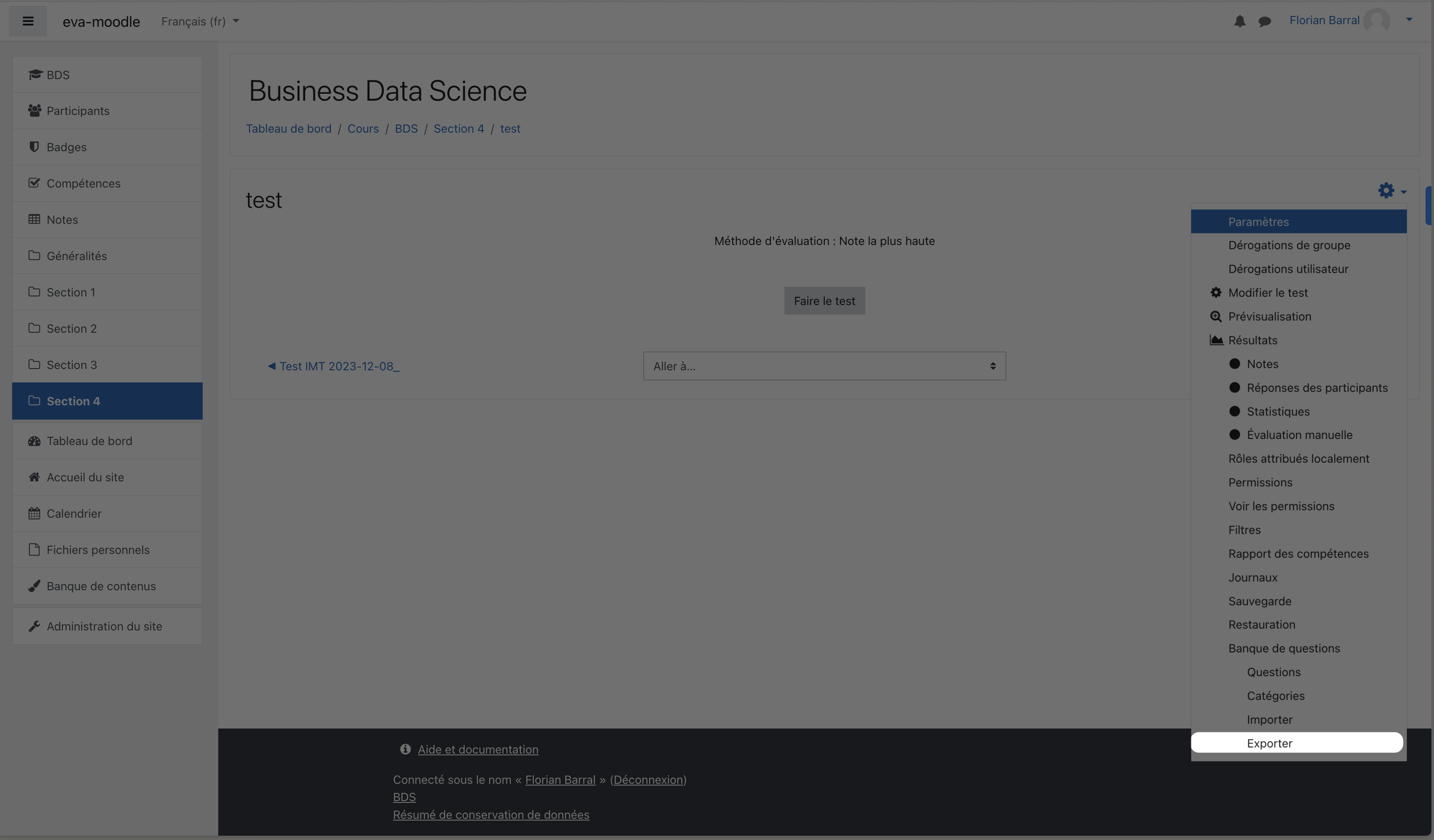
On Moodle:
Open your Test
Click on the options ⚙️ in the top right corner and then on
ExportExport the
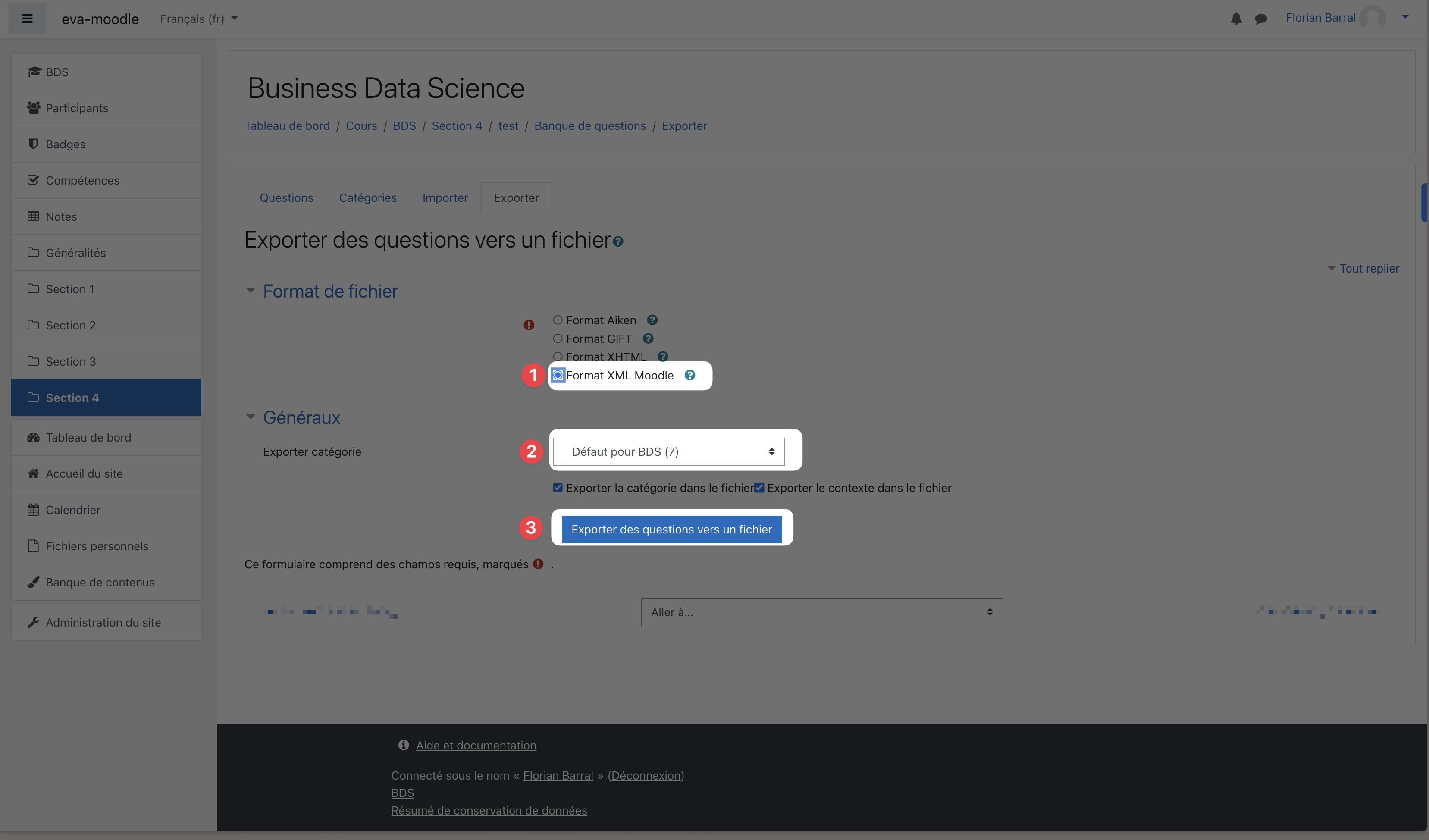
.xmlfileChoose the
Moodle XMLformatCheck the category of questions you are importing
Click on
Export questions to a file
2. Import them into Evalmee
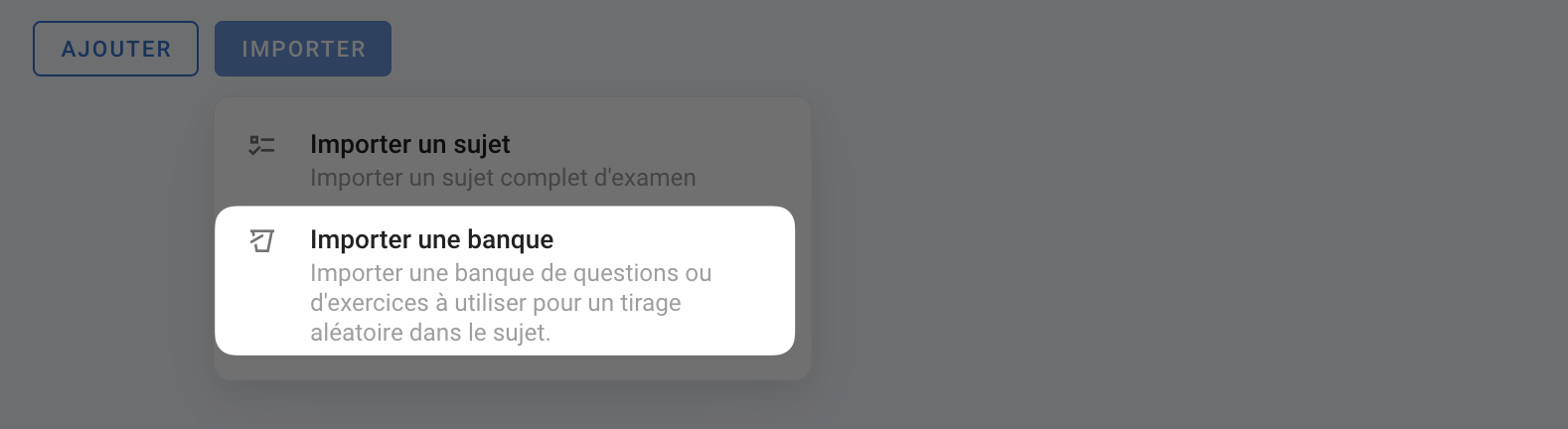
To do this, go to the question editor, click IMPORT > Import a pool, choose the Moodle XML format and drag and drop the .xml file you downloaded earlier.
💡 A pool will be created for each lowest child category in the category hierarchy, and the name of the pool will be the concatenation of the parent categories.
❗ Only multiple-choice and essay questions are supported.
If the import does not work, open the file and remove all questions that are not multiple-choice or essay questions, or re-export the file, selecting only multiple-choice and essay questions.