Correct the topic and the grades
If there is a typo in the topic, edit the original topic to recalculate the scores.
Written By Florian Barral
Last updated About 6 hours ago
In the app
Once your exam is open, you can no longer modify the questions generated for your participants—this is to ensure fairness so that all participants receive the same exam.
However, you can partially edit the exam to correct errors or modify the grading rubric.
Editing the Exam
To do this, in the “Sujet” tab:
Click the “
ÉDITER” button
Edit the exam as needed: check the correct answers, adjust the question weightings, edit the grading comments, and modify the tags.
Then click “
RECALCULER LES NOTES”
All your scores will be recalculated accordingly
Modifying the Multiple-Choice Question Scoring Scale
In the “Paramètres” tab:
Go to “
Barème QCM”Click on “
Modifier le barème”Adjust the scoring scale as desired
Then click on “
Enregistrer et recalculer les notes”All your grades will be recalculated accordingly
In the Excel export
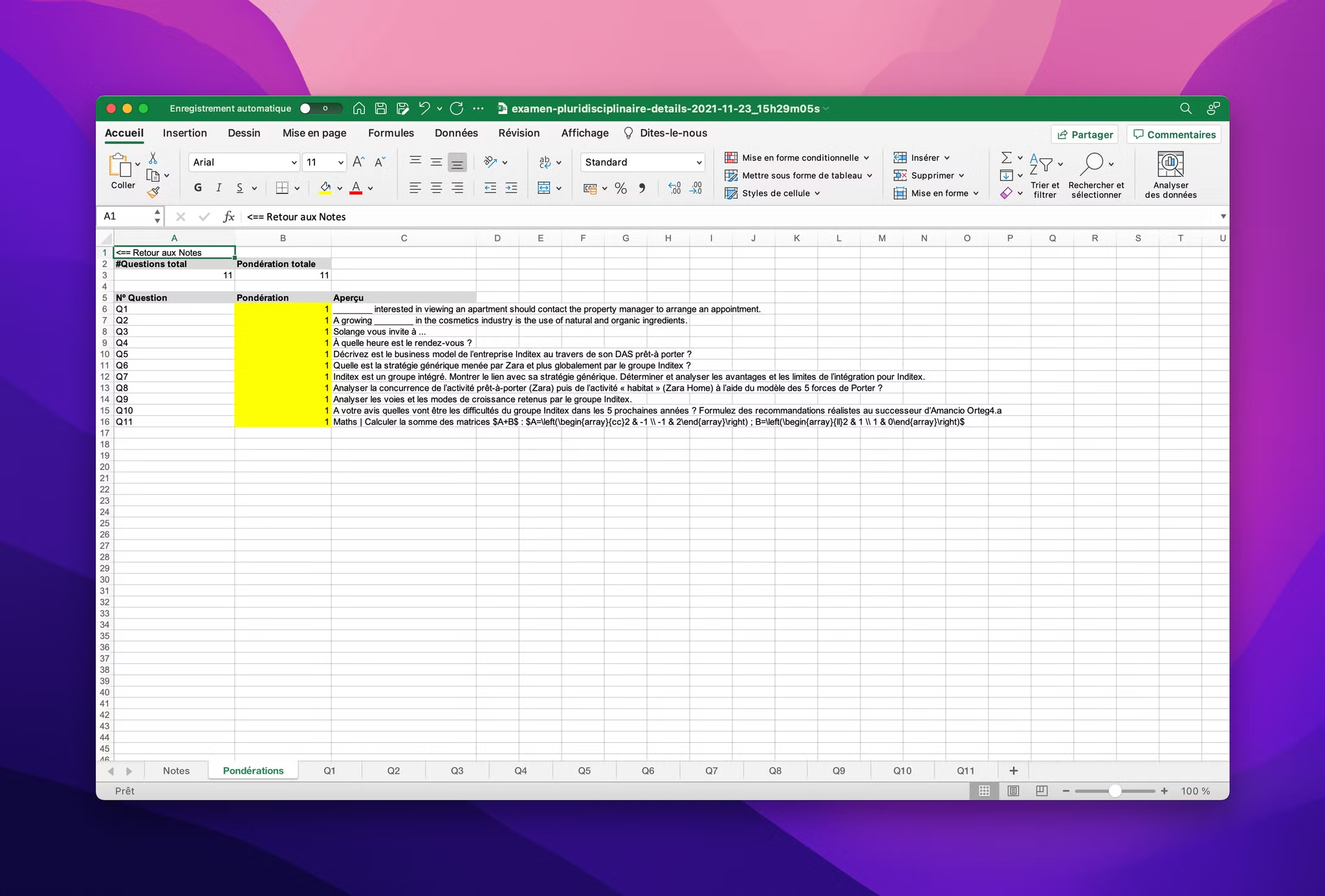
You can also modify part of the exam grading scale using the detailed Excel export Notes once the exam is complete.
There is a worksheet titled “Pondérations” in the grade export, as shown below:
FAQ
Why can’t I add questions or delete answer choices anymore?
Why can’t I add questions or delete answer choices anymore?
Once a session is open or participants have received their exam, the exam structure is locked: you can no longer add or delete questions, exercises, or answer choices. You can still edit a question’s points, check or uncheck the correct answers, the correction comment, the criteria, and the tags. To disable a question, set its points to 0; to disable an answer choice, mark it as correct or incorrect as appropriate.
Was this helpful?
Still need help? Ask the team