Import pools in Excel format
Import your question or exercise pools in addition to your exam subject.
Written By Florian Barral
Last updated About 7 hours ago
Click Import
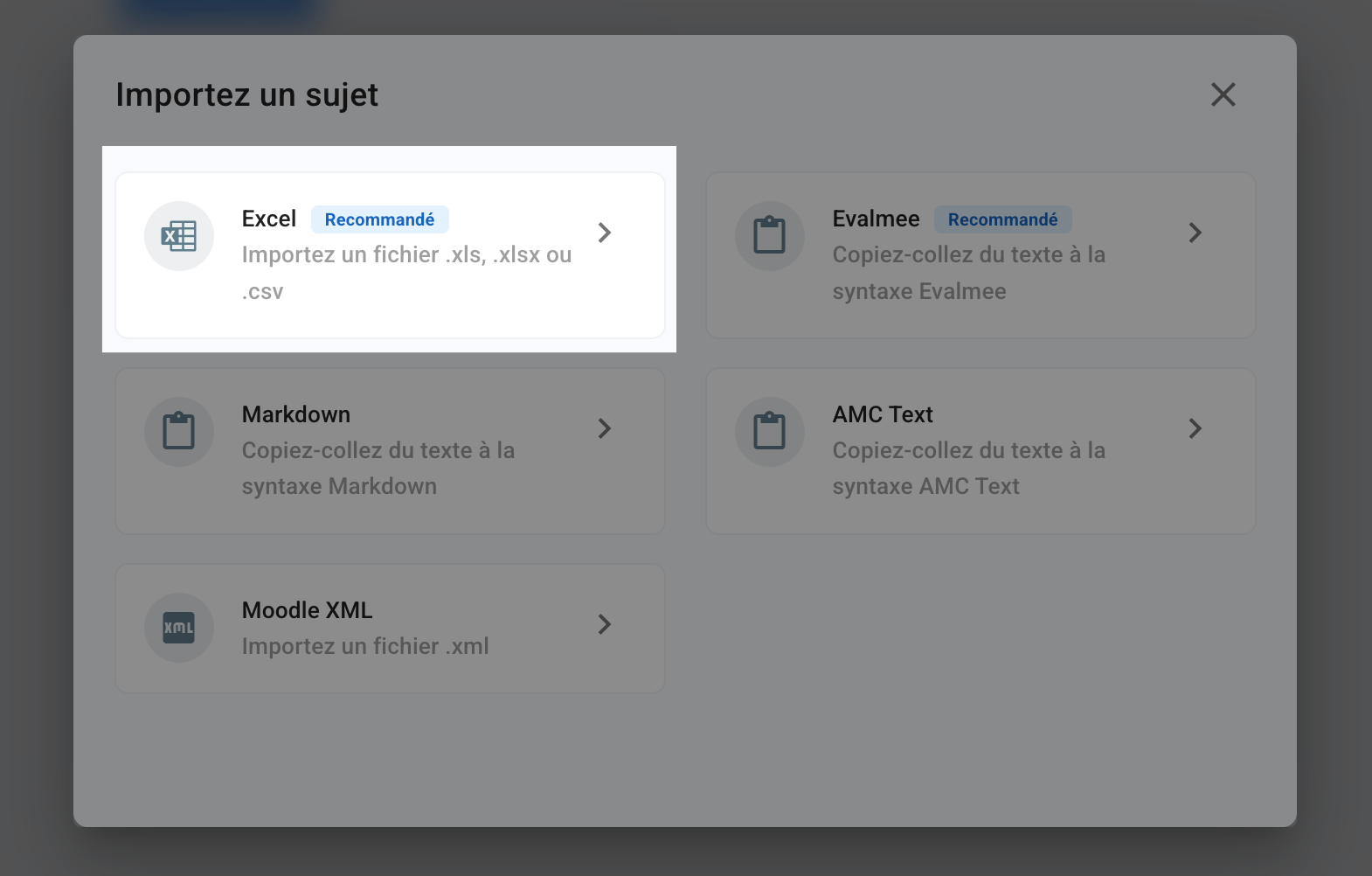
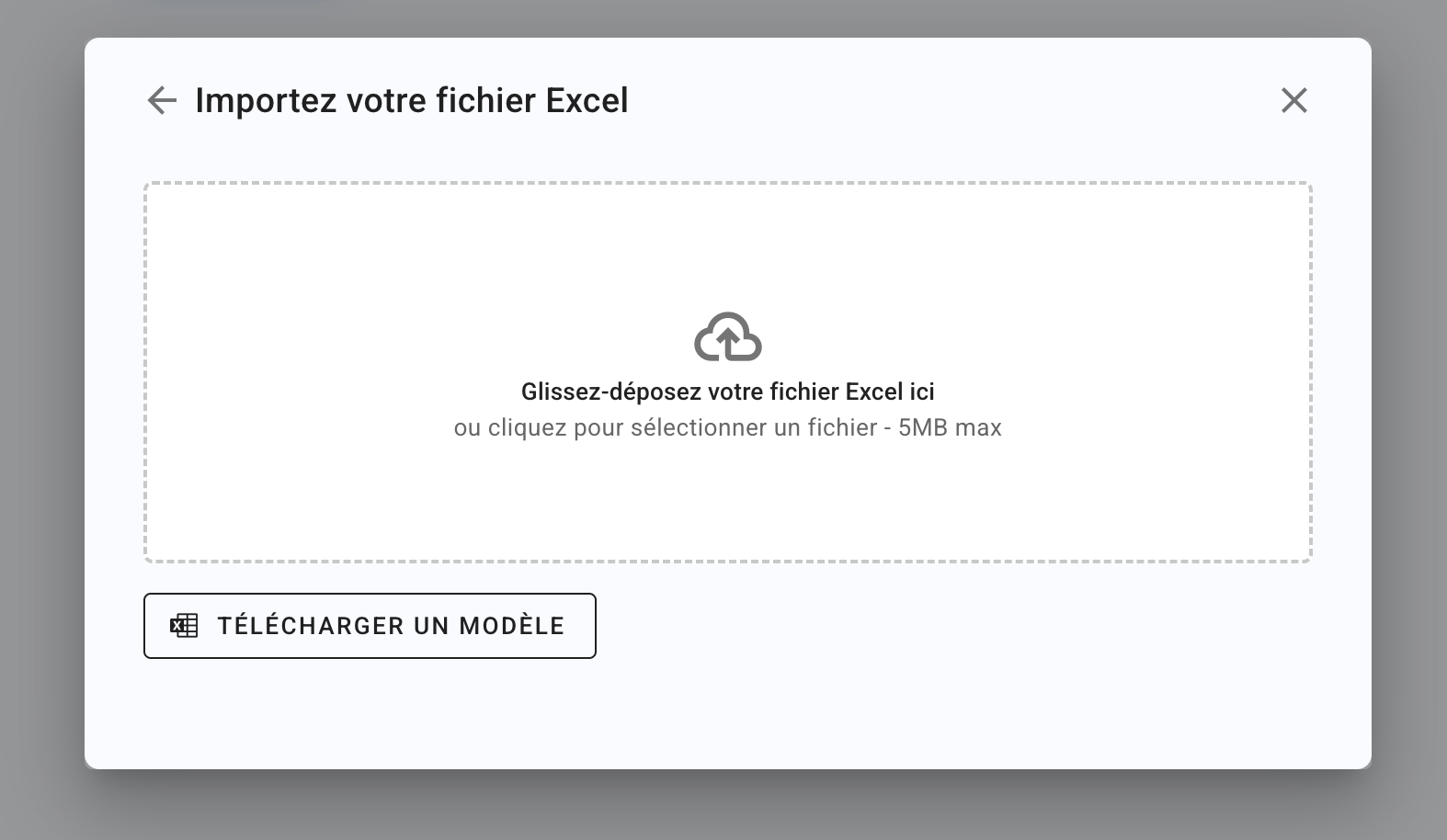
Click Download template > Subject and pools to download the .xlsx template file and fill in the columns of the Subject and Pools tabs:
Note: by default the template file contains 2 tabs, Subject and Pools, which must keep exactly these names to be recognized during the import and for it to work correctly
However, if you only want to import your pools, you can delete the Subject tab and keep only the Pools tab
⚠️ An import that contains the Pools tab replaces all the pools already in the exam: importing a second file erases the pools of the first one. Gather all your pools in a single file. Likewise, a Subject tab replaces the existing subject.
Subject tab
Section (optional column if you do not use sections)
Section statement (optional column if you do not use sections)
Number of items drawn: number of items (questions or exercises) drawn from the pool in the next column
Drawn from pool: name of the pool (of questions or exercises) the questions or exercises are drawn from
Exercise (optional column if you do not use exercises)
Exercise statement (optional column if you do not use exercises)
Tag category 1 (optional column if you do not use tags)
Tag 1 (optional column if you do not use tags)
Tag category 2 (optional column if you do not use tags)
Tag 2 (optional column if you do not use tags)
Question type
Enter one of the following types, written exactly like this:QCM,QCU,True/False,Open,Code,Spreadsheet,Schema,File uploadorComplementary statement. For a True/False question, enterTrueorFalsein the Correct choices column. The Matching question cannot be imported.Points
Enter a decimal numberSize limit (optional column)
For an Open question, the maximum length of the answer, for example200 wordsor1000 characters.Question.
Enter your question.Grading comment
Enter the grading comment displayed on the graded submission.Correct choices
Define which choices are correct. Example:1if the 1st choice is correct2,4if the 2nd and 4th choices are correct
Choice 1
Type one of the question’s choicesChoice 2
Type one of the question’s choicesChoice 3
Type one of the question’s choices or leave it empty.Choice 4
Type one of the question’s choices or leave it empty.Choice 5
Type one of the question’s choices or leave it empty.Choice 6
Type one of the question’s choices or leave it empty.Choice 7
Type one of the question’s choices or leave it empty.Choice 8
Type one of the question’s choices or leave it empty.Choice 9
Type one of the question’s choices or leave it empty.Choice 10
Type one of the question’s choices or leave it empty.
⚠️ Be careful if you use random draws with the number of items drawn and drawn from pool columns: do not fill in the columns from question type onward (column K in the template file).
If you only use random draws, you can also delete all the columns from the question type column onward (column K in the template file).
Pools tab
Pool
Exercise (optional column if you do not use exercises)
Exercise statement (optional column if you do not use exercises)
Tag category 1 (optional column if you do not use tags)
Tag 1 (optional column if you do not use tags)
Tag category 2 (optional column if you do not use tags)
Tag 2 (optional column if you do not use tags)
Question type
Enter one of the following types, written exactly like this:QCM,QCU,True/False,Open,Code,Spreadsheet,Schema,File uploadorComplementary statement. For a True/False question, enterTrueorFalsein the Correct choices column. The Matching question cannot be imported.Points
Enter a decimal numberSize limit (optional column)
For an Open question, the maximum length of the answer, for example200 wordsor1000 characters.Question.
Enter your question.Grading comment
Enter the grading comment displayed on the graded submission.Correct choices
Define which choices are correct. Example:1if the 1st choice is correct2,4if the 2nd and 4th choices are correct
Choice 1
Type one of the question’s choicesChoice 2
Type one of the question’s choicesChoice 3
Type one of the question’s choices or leave it empty.Choice 4
Type one of the question’s choices or leave it empty.Choice 5
Type one of the question’s choices or leave it empty.Choice 6
Type one of the question’s choices or leave it empty.Choice 7
Type one of the question’s choices or leave it empty.Choice 8
Type one of the question’s choices or leave it empty.Choice 9
Type one of the question’s choices or leave it empty.Choice 10
Type one of the question’s choices or leave it empty.
To learn more about Sections and Exercises, see Structure an exam subject .
Was this helpful?
Still need help? Ask the team