Share a self-enrollment link
Enable and share the self-enrollment link so participants can enroll on their own, without you having to import them or invite them by email
Written By Florian Barral
Last updated 27 minutes ago
When should you use it?
This feature is ideal:
during a class in a classroom or lecture hall (in person)
during a remote class (Zoom, Teams, etc.)
for a practice session open to everyone
during an asynchronous onboarding or trial session
when you don’t have the email list in advance
How do I enable self-enrollment via a link?
Go to the relevant exam
Go to the Session tab
Click the session of your choice
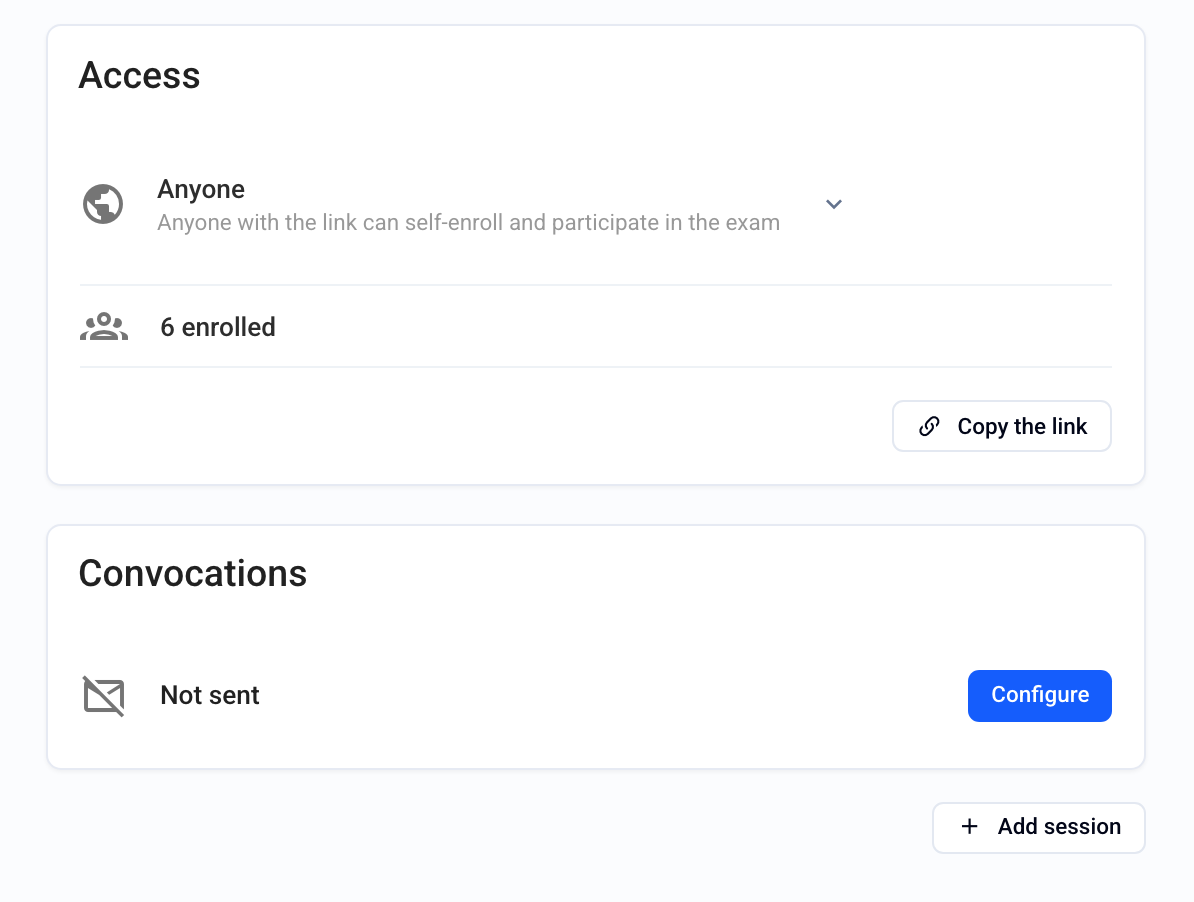
Find the Self-enrollment via link section
In the drop-down menu, choose who can register with this link:
No one (disabled by default): only manually enrolled participants can access the session
Anyone (public link): anyone with the link can register and access the session
Members of {your organization}: only members of your organization can register and access the session
Copy the link and share it with participants (chat, email, QR code, in-room display, etc.)
📸 Example of how the link appears:
What participants see

When a participant clicks the link:
They are redirected to a simple registration page (last name, first name, email)
They are then automatically registered for the session
They can then take the exam at the scheduled times
Good to know
The link can be enabled or disabled at any time
You can see self-registered participants in the session’s participant list
A participant registered via the link is treated like any other registered participant
Best practices
Share the link just before the exam if you want to limit access
If the exam is open practice, you can display it on your intranet or embed it in an external website
For more advanced uses (pre-registration form, automatic session generation…), consider using the Evalmee API
FAQ
Is the link reusable?
Is the link reusable?
Yes, as long as it is active, it can be used multiple times by different participants.
Can I restrict access through this link?
Can I restrict access through this link?
Yes, by temporarily disabling the link or by choosing “Members of {{your organization}}
Can I track who has registered?
Can I track who has registered?
Yes, each registration is recorded with the information provided by the participant, and you can find all registered participants in the relevant session
Was this helpful?
Still need help? Ask the team