Close or reopen a participant's exam
During an exam, close a participant's access or give it back
Written By Florian Barral
Last updated 20 days ago
From the Monitor › Live tab, you can close a single participant’s exam, or reopen it after they have finished.
Close a participant’s exam
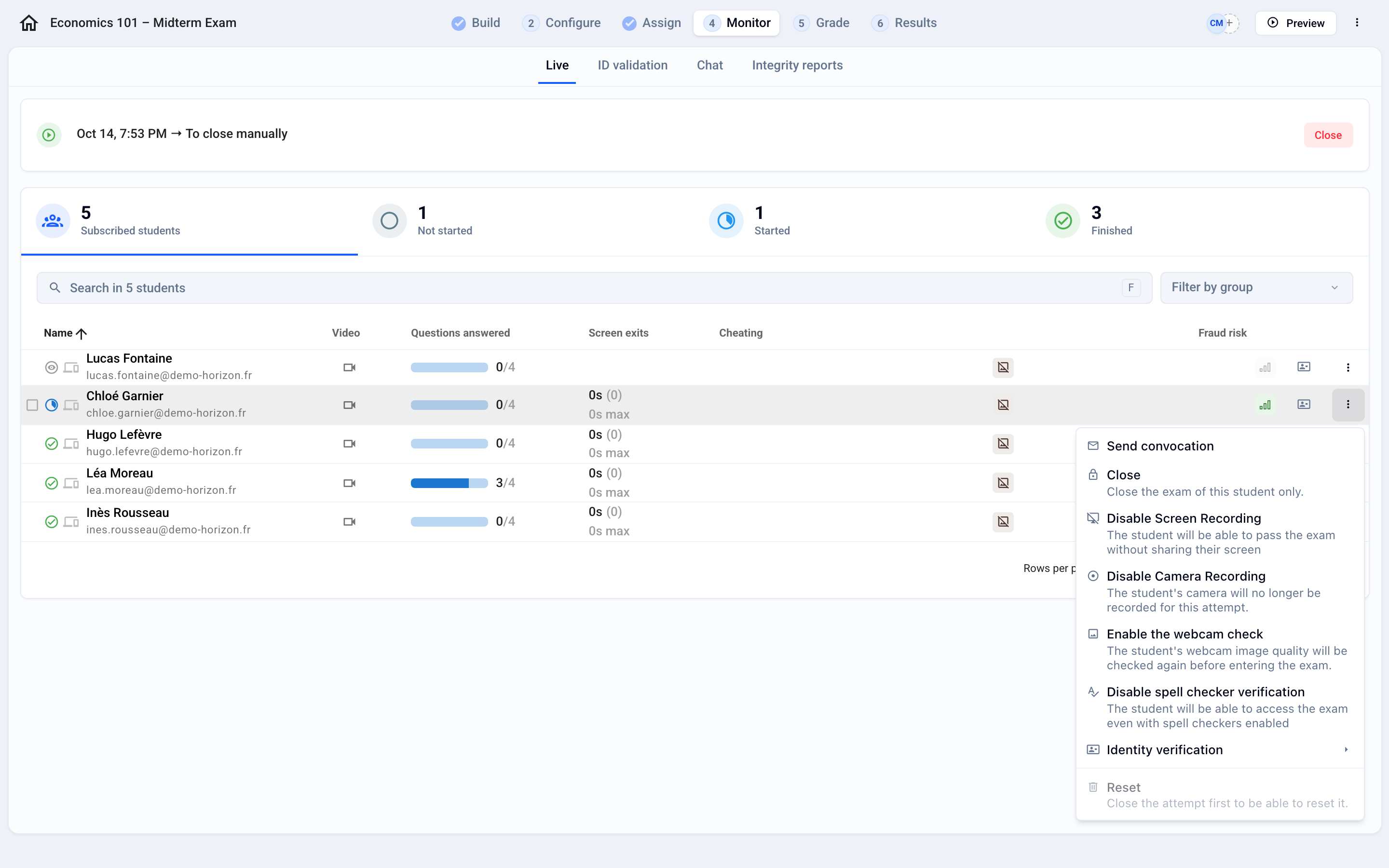
Find the participant marked Started and click ⁝ at the end of the row.
Click Close and confirm. The participant can no longer answer; answers they have already submitted are kept.
Reopen a participant’s exam
Find the participant marked Finished and click ⁝.
Click Reopen: the participant can pick up where they left off and keep answering.
Why is “Reopen” grayed out?
Reopen is only possible while the exam is open. Once the session is closed, the menu shows “You must re-launch the exam before reopening it for a student”:
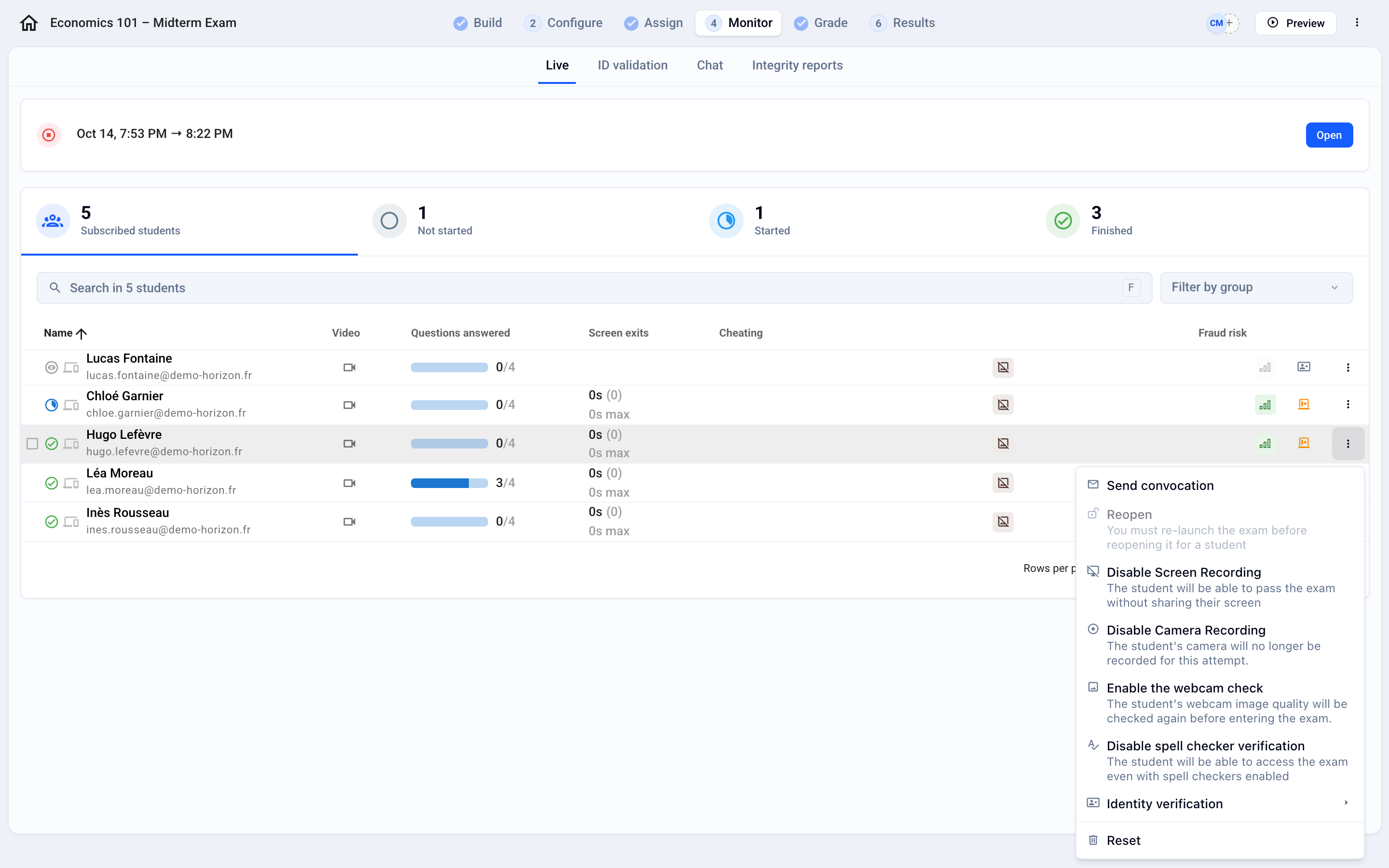
Open the session again with the Open button, at the top of the Monitor tab.
Click ⁝ › Reopen for each relevant participant.
Close the session when they have finished.
💡 Reopening the session does not reopen the submissions of participants who have already finished: only those for whom you click Reopen can resume. However, a participant who had not started yet can start as long as the session is open.
Good to know
Reset erases the attempt so the participant starts over from scratch; a participant in progress must be closed first. See Reset a participant's exam
Time added to a participant also pushes their end time past the session’s planned closing, unless you close the session manually. See Add extra time
FAQ
A participant lost their connection at the end of the exam: are their answers kept?
A participant lost their connection at the end of the exam: are their answers kept?
Usually, yes. When the connection drops, the participant sees the Offline badge: they can keep answering, and their answers are sent as soon as the connection is back. They must keep the page open and not clear their browser data.
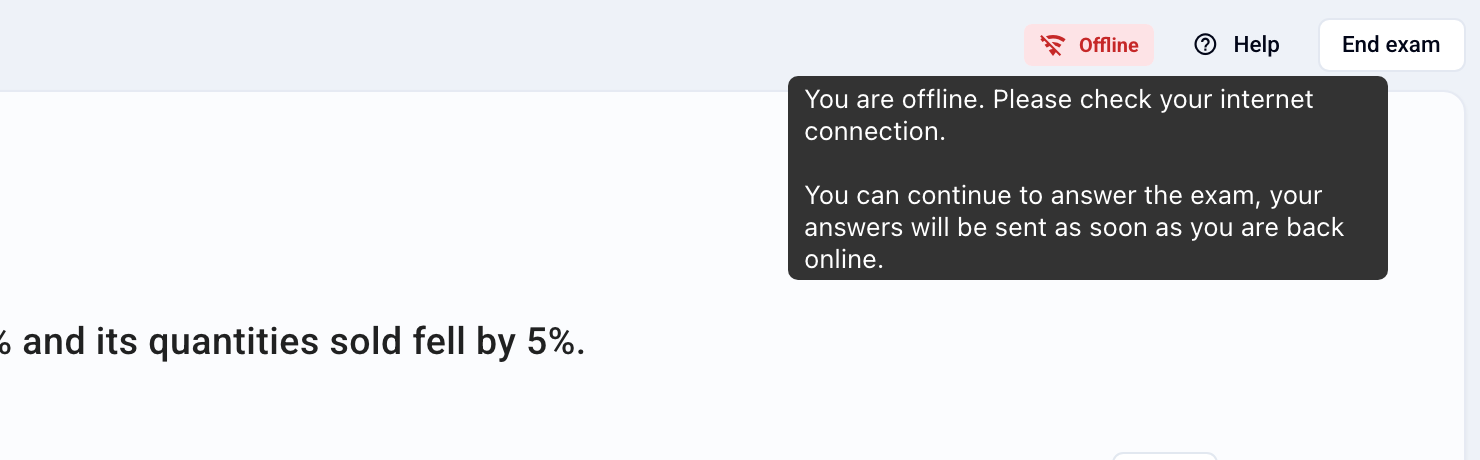
If they click End the exam while offline, the message “Failed to send. Resend your answers?” appears. They keep the window open, restore their connection, then click Resend my answers.
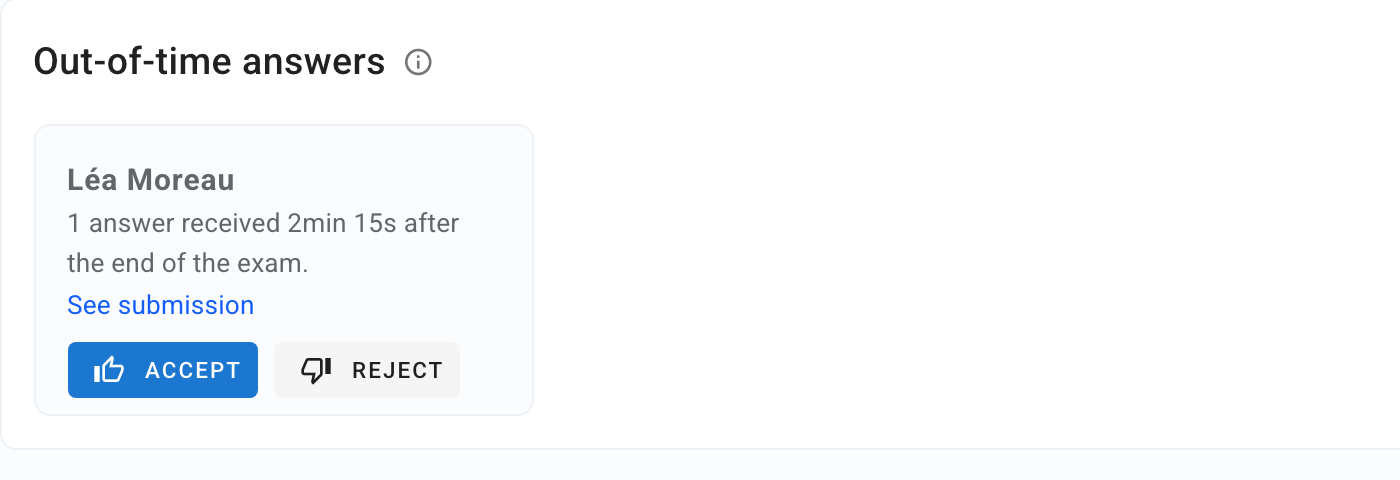
Answers that arrive after the closing time are not counted automatically. They appear in Results › Grades, in the Out-of-time answers card, where you accept or reject them with Accept or Reject. You must decide on them to get the final grades. The disconnection is also visible as an Offline event in the integrity report. See Identify fraud
Was this helpful?
Still need help? Ask the team