Chat between you and participants
If a problem or typo is detected, your participants can contact you individually through a chat to discuss it with you, and you can make announcements to everyone
Written By Florian Barral
Last updated About 1 hour ago
There are 2 types of support chat on Evalmee for participants:
The Participants <> Exam staff live chat
The Participants <> Evalmee technical support live chat
Below, we describe how the Participants <> Exam staff live chat works, which lets you talk with a participant individually or with all participants
Chat with a participant
Your participants can contact you directly, one-on-one. You can also reach out to them proactively.
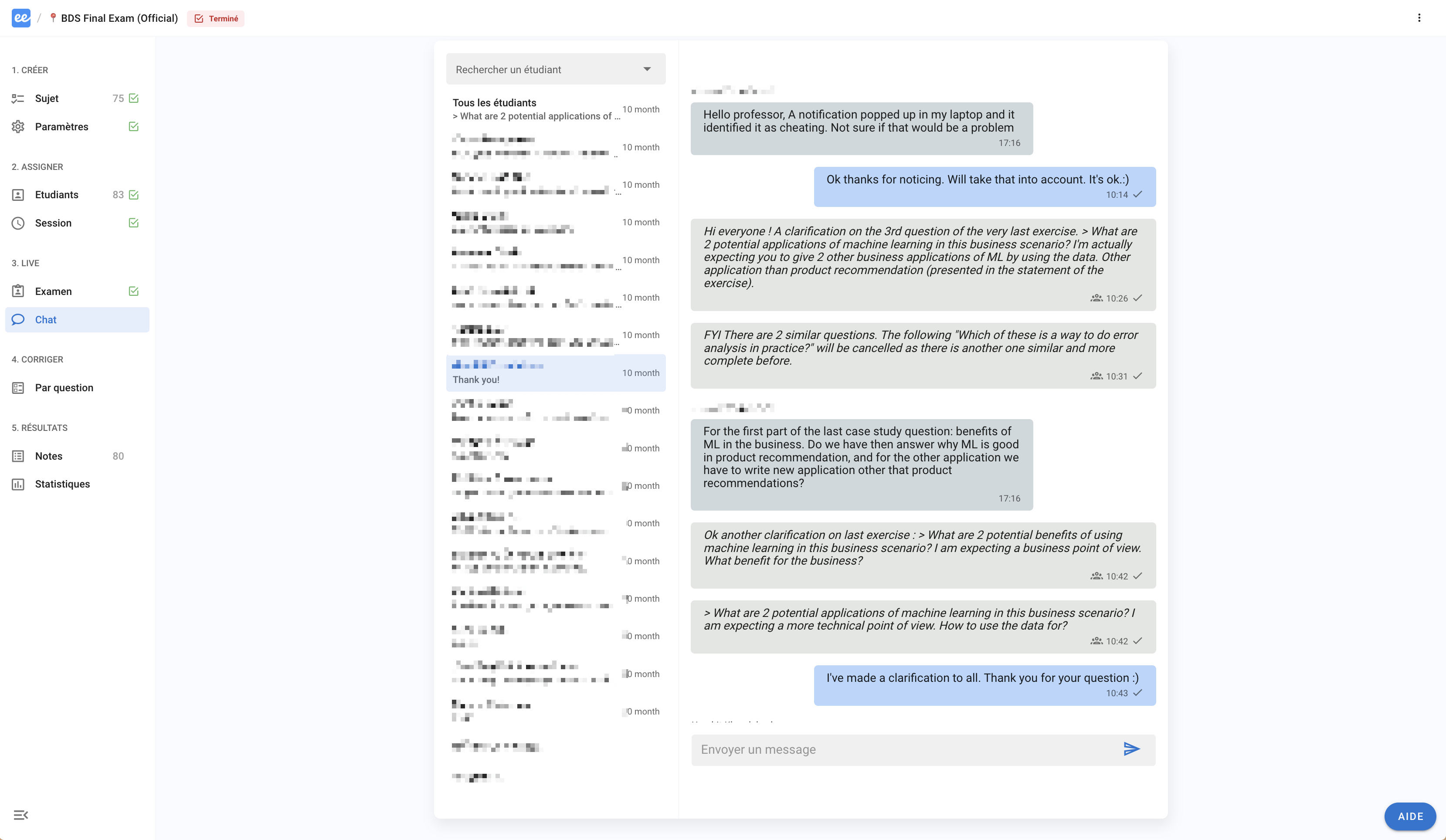
Make announcements to all participants
You can broadcast a mass message to all participants at once during a live exam. The same message will appear to all participants at the same time.
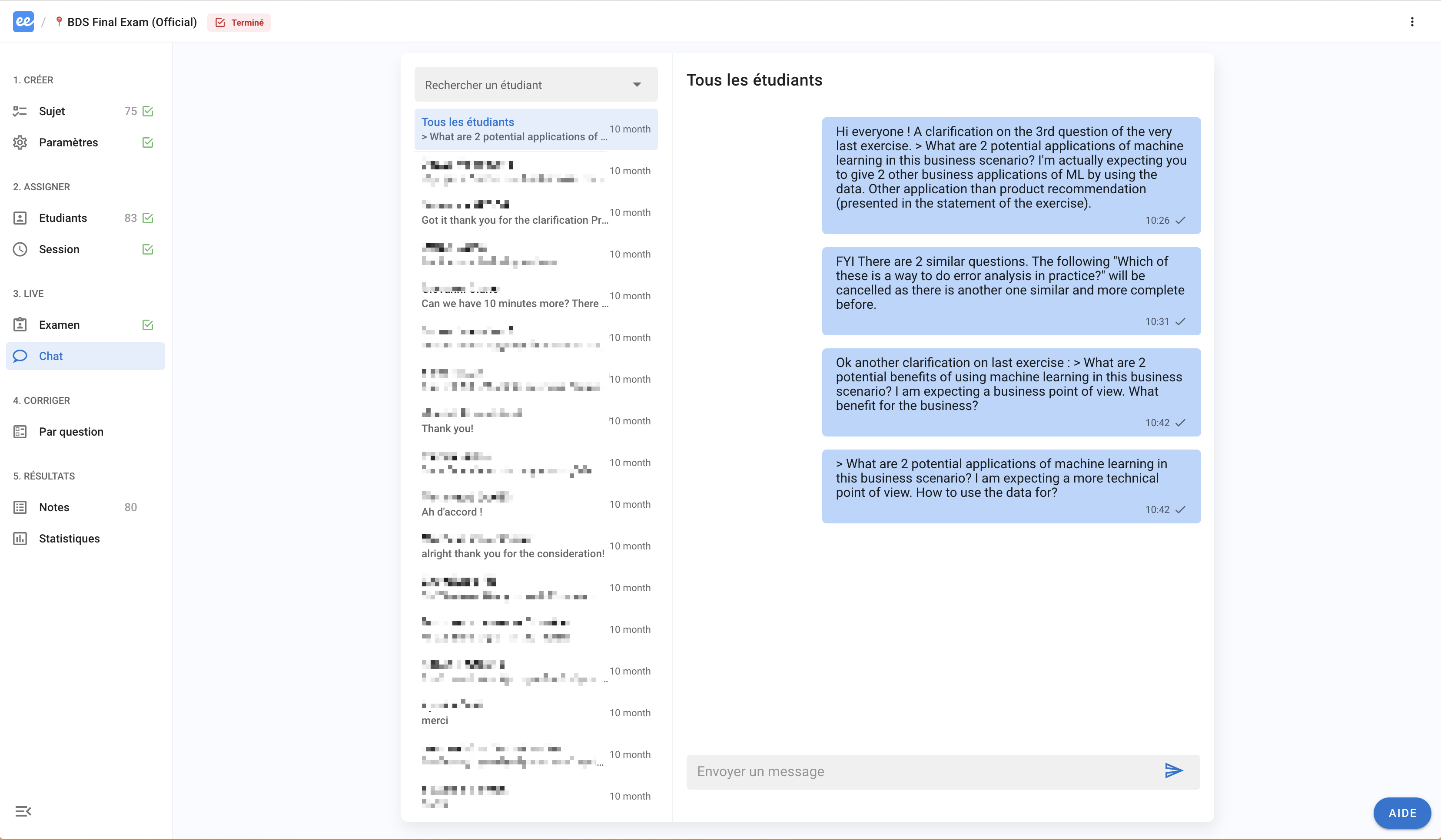
This is not a "group chat": only you can send a message to all participants. Participants can only contact you one-on-one.
On the participant’s side
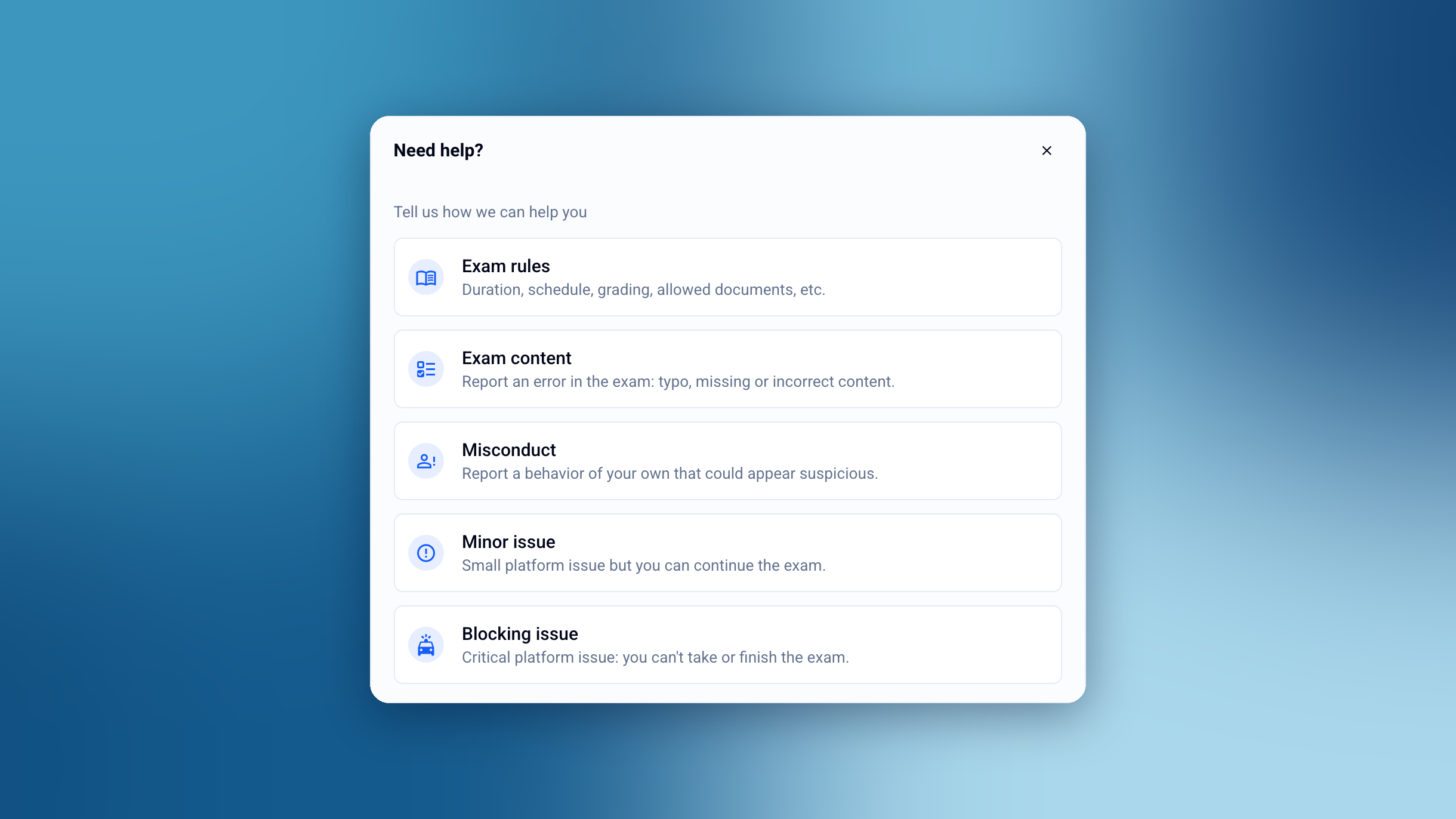
When participants click “Help”, a window opens.
By choosing “Exam content” or “Misconduct”, they get access to a chat with the exam staff.
“Minor issue” and “Blocking issue” give them access to the technical support chat with the Evalmee team.
Was this helpful?
Still need help? Ask the team