Disable screen recording for a participant
Let a participant take the exam without sharing their screen, for example on a tablet or smartphone.
Written By Dorian Becker
Last updated 11 days ago
Screen recording is supported only on computers.
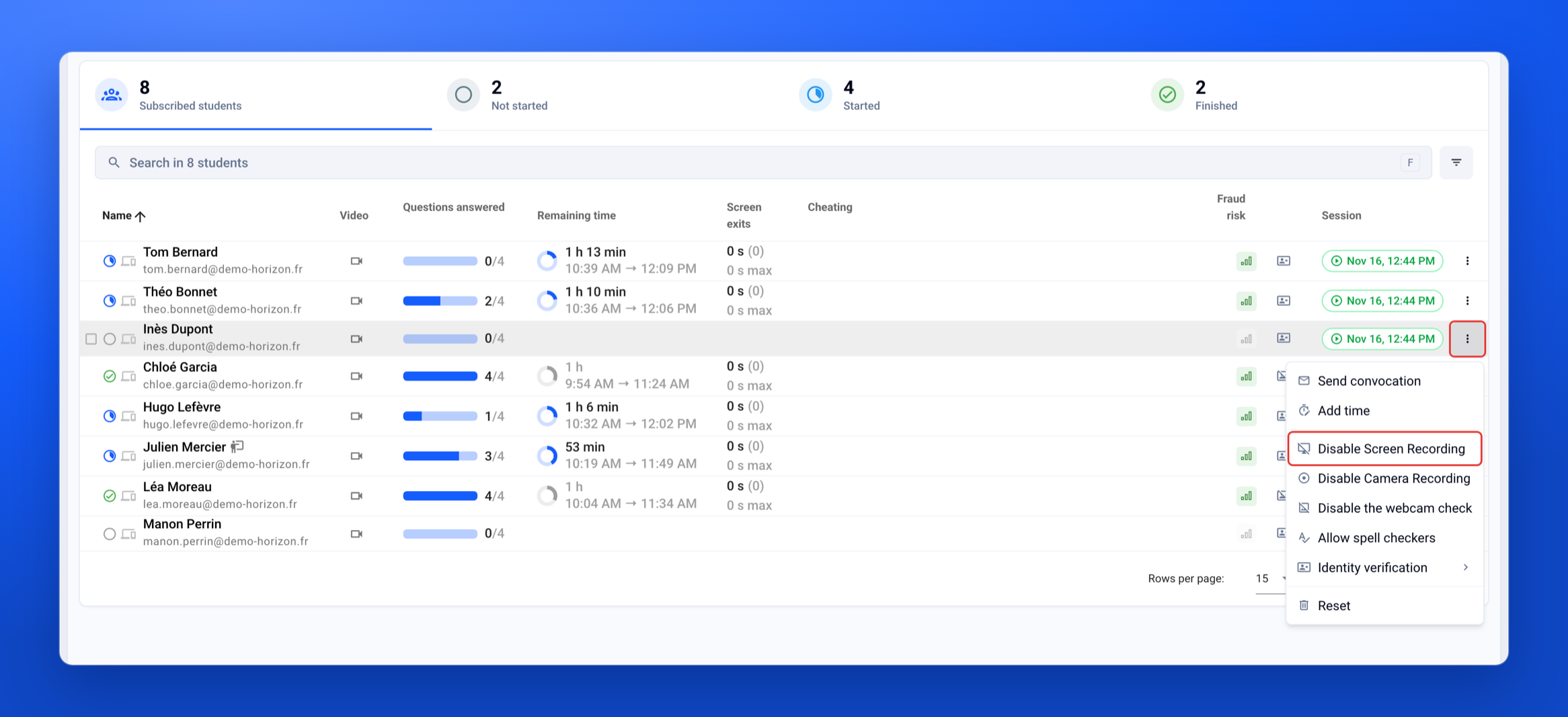
For a participant taking the exam on a tablet or smartphone, or who cannot share their screen, disable screen recording for that participant only:
Open Monitor › Live.
Click ⁝ at the end of the participant’s row.
Click Disable Screen Recording.
The participant can then access the exam without sharing their screen. To undo this, choose Enable Screen Recording in the same menu. For several participants, select them in the table, then use the bulk action.
Was this helpful?
Still need help? Ask the team